
[Jun 2025] What's new in Zenhub in June
In this article
In this article group
- Changelog History
- [Oct 2026] Manage every workspace from one place
- [Sep 2026] Filter reports by issue type
- [Jul 2026] Organization Guest role
- [Jul 2026] Workspace roles and tighter access controls
- [Jun 2026] What's new in Zenhub in June
- [Apr 2026] What's new in Zenhub in April
- [Nov 2025] Shared Saved Views and Workspace Defaults
- [Sep 2025] What's new in Zenhub Fall 2025
- [Jul 2025] What's new in Zenhub in July
- [May 2025] Request for new GitHub permissions
- [Apr 2025] Migration of Epics & Projects to Sub-issues
- [Mar 2025] What's new in Zenhub in March
- [Feb 2025] Drag and Drop in the Goals & Planning Panel & and Issue Type Update
- [Feb 2025] Goals & Planning Panel - hierarchy made easy (and fast!)
- [Feb 2025] A few more steps towards a cleaner future
- [Jan 2025] A Fresh Look for the New Year: Our New Issue Cards
- [Dec 2024] Sub-issues & Issue Types!
- [Oct 2024] Shuffled Stand Ups
- [Sep 2024] Daily Feed, Project & Milestone Quality of Life Improvements
- [Sep 2024] Performance & Stability Improvements
- [Aug 2024] Zenhub Improvements in Q2 2024
- [Mar 2024] Roadmap: Exporting and Sharing Enhancements
- [Mar 2024] Zenhub AI Beta now available for everyone
- [Mar 2024] Smart Pipelines: Issue Metadata Automation, Flag Stale Issues, WIP Limits
- [Feb 2024] Advanced Velocity Breakdown by Assignees, Epics and Labels
- [Feb 2024] Roadmap Improvements
- [Dec 2023] Email notification for Zenhub Issues
- [Dec 2023] WIP Limits for Pipelines
- [Nov 2023] Generate Acceptance Criteria using AI
- [Jun 2023] AI Suggested Labels
- [Jun 2023] Saved Views
- [Mar 2023] Zenhub Issues
- [Feb 2023] February Updates
- [Jan 2023] Performance Improvements
- [Dec 2022] Redeeming Invites at Onboarding
June 2025 · by Ev, VP of Engineering
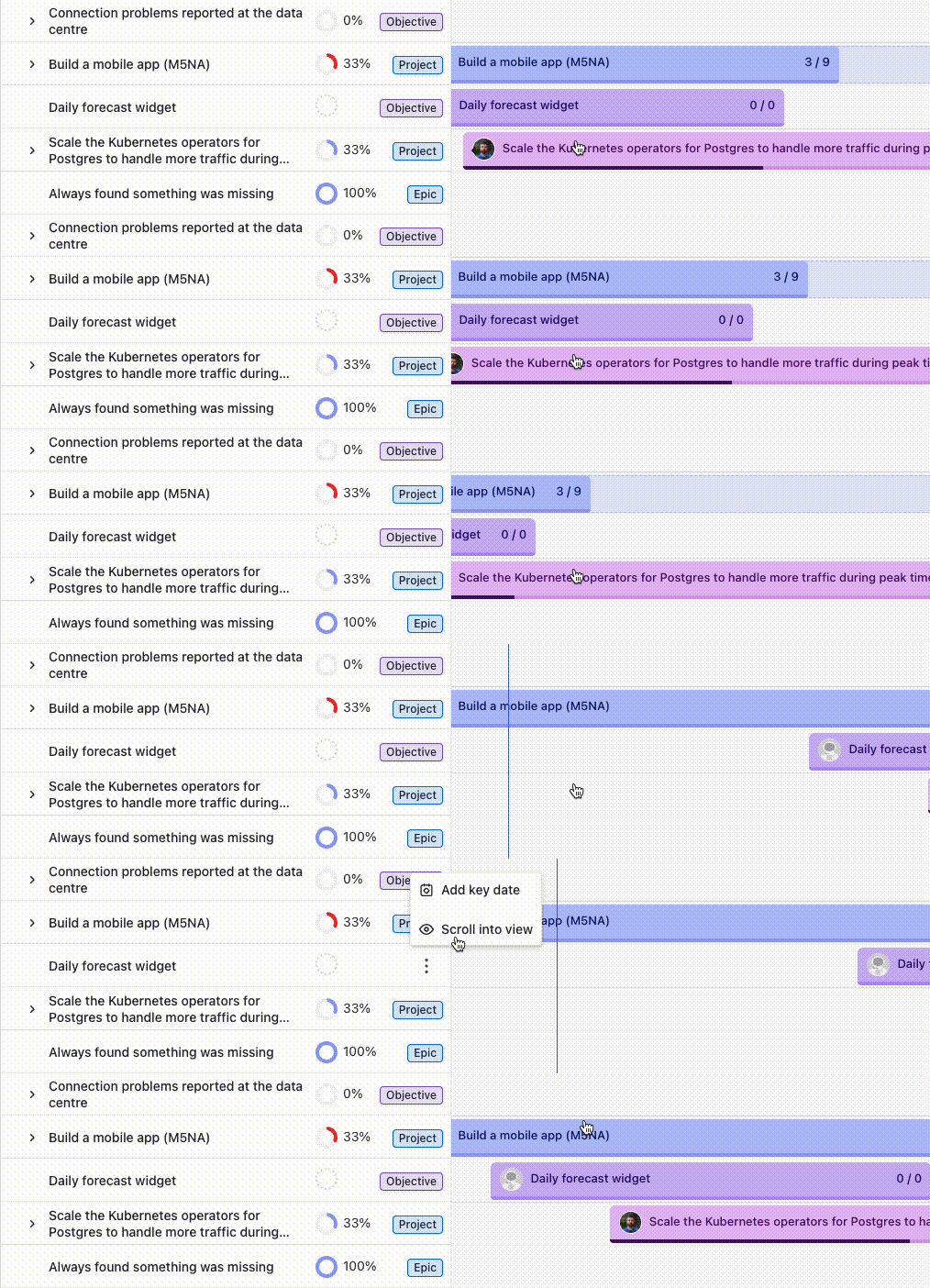
Timeline Improvements
For epics which span many months across the timeline, you will now see the epic's title stick to the edge of the screen so that it can be visible at all times. We've also added an option to "Scroll into view" to quickly jump to it.
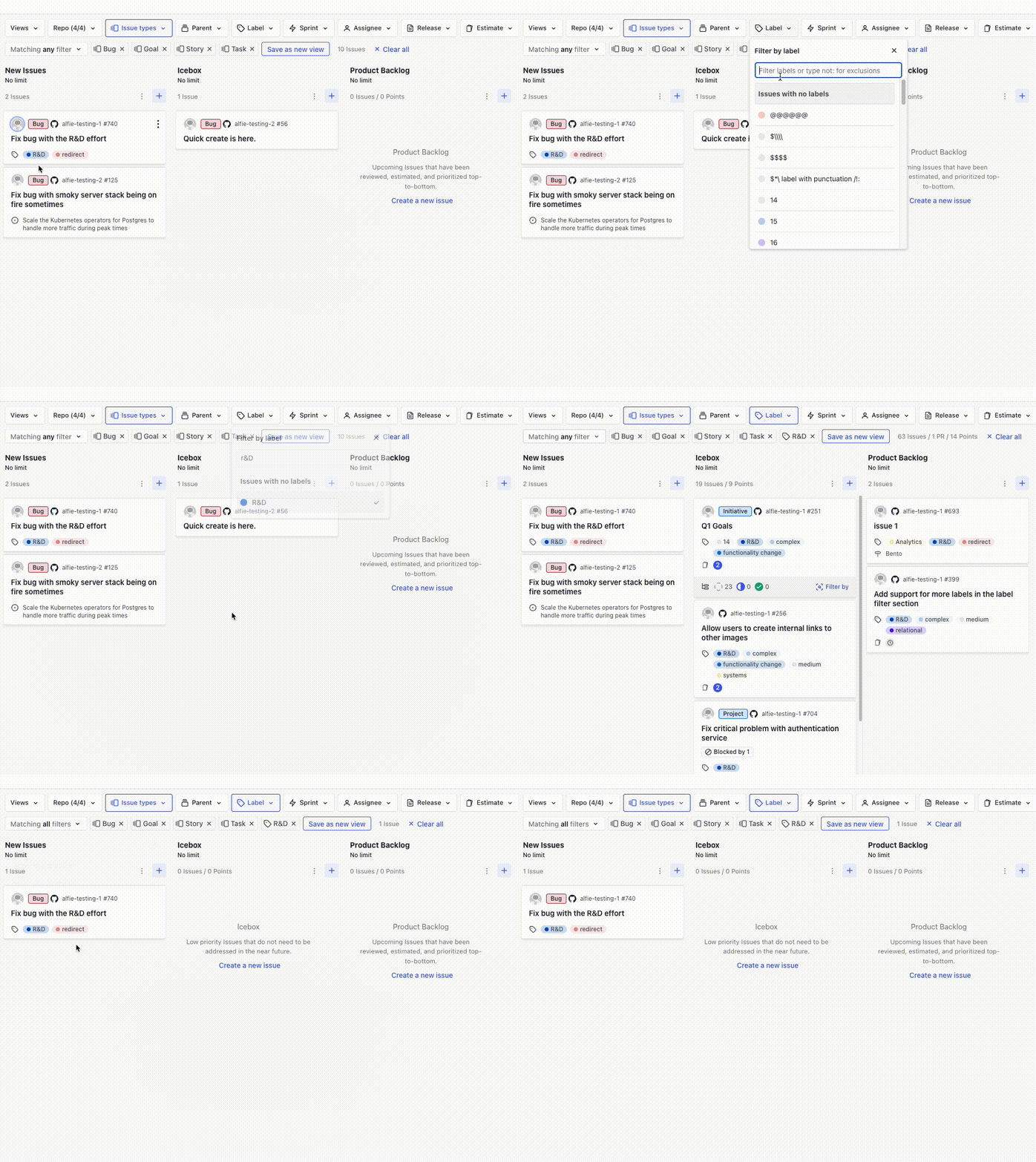
"Issue Type" Filter Behaviour
When filtering the board by "Issue Type" and using the "Matching all filters" option, the board will now consider all the selected issue types as a group.
Default PR Pipeline Configuration
For many years Zenhub had a hidden feature that was available only to extension users which allowed you to select the default pipeline for new Pull Requests. We've moved this feature to the "Workspace Settings" page so that any workspace member can configure it.

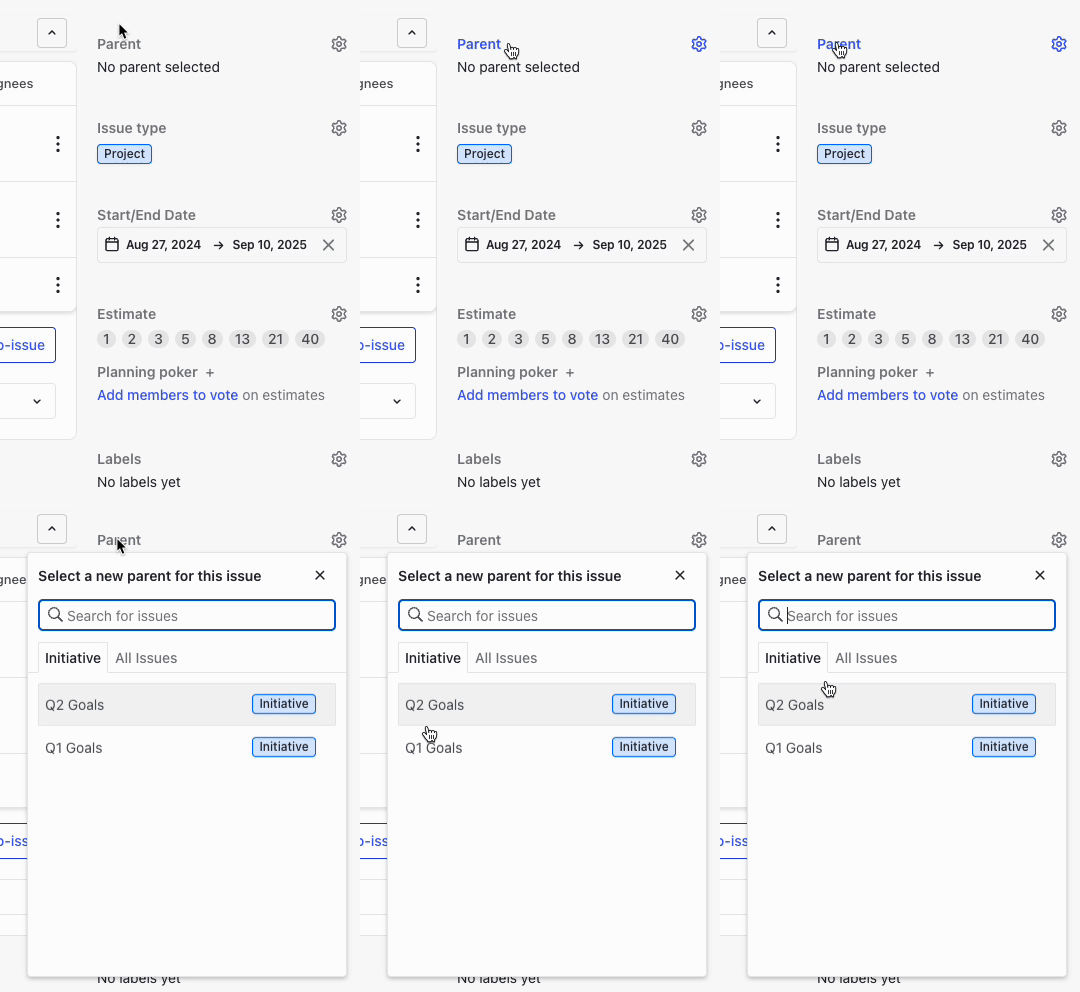
Parent Selector Improvements
When setting a parent issue, Zenhub will now default to showing the next level up by default.
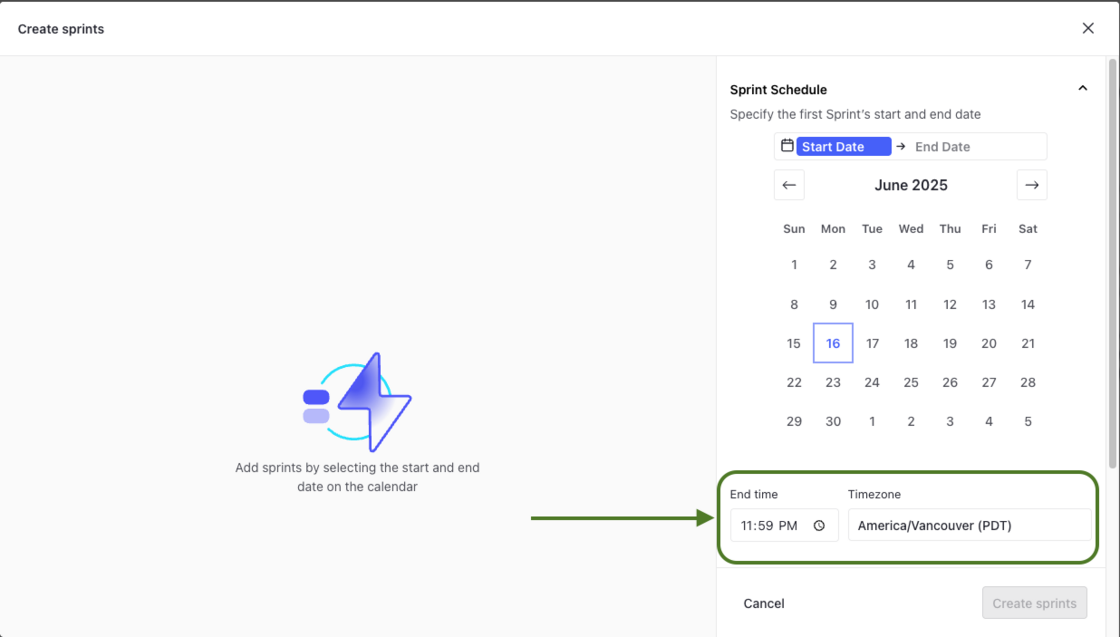
Sprint Timezone Configuration
For teams who work remotely across continents, it wasn't always clear when one sprint would end and another would begin. To solve this, Zenhub now allows you to view and control exactly what time sprints complete.
And more!
- By fine-tuning how we load our JavaScript bundles, we've been able to reduce the app's initial load time by 20%.
- Added support for Issue Types in GitHub Markdown issue templates
- The number of days the issue has been in the pipeline is now shown directly on issue cards in the Work Tracker
- Optimized the performance of Goals & Planning panel so that issues are displayed much faster
- Added support Start and End dates for high level Zenhub Issues
- Fixed a bug that prevented horizontal scrolling on the Timeline when the Goals & Planning Panel was collapsed
- Fixed a bug where the Parent filter on the Work Tracker would fail to render when no items matched your query
- Fixed a bug where extension users would sometimes see blank spaces in the GitHub issue history timeline
- Fixed a bug where Ctrl+clicking on links in the extension would not always open the links in a new tab