
[Jul 2026] Organization Guest role
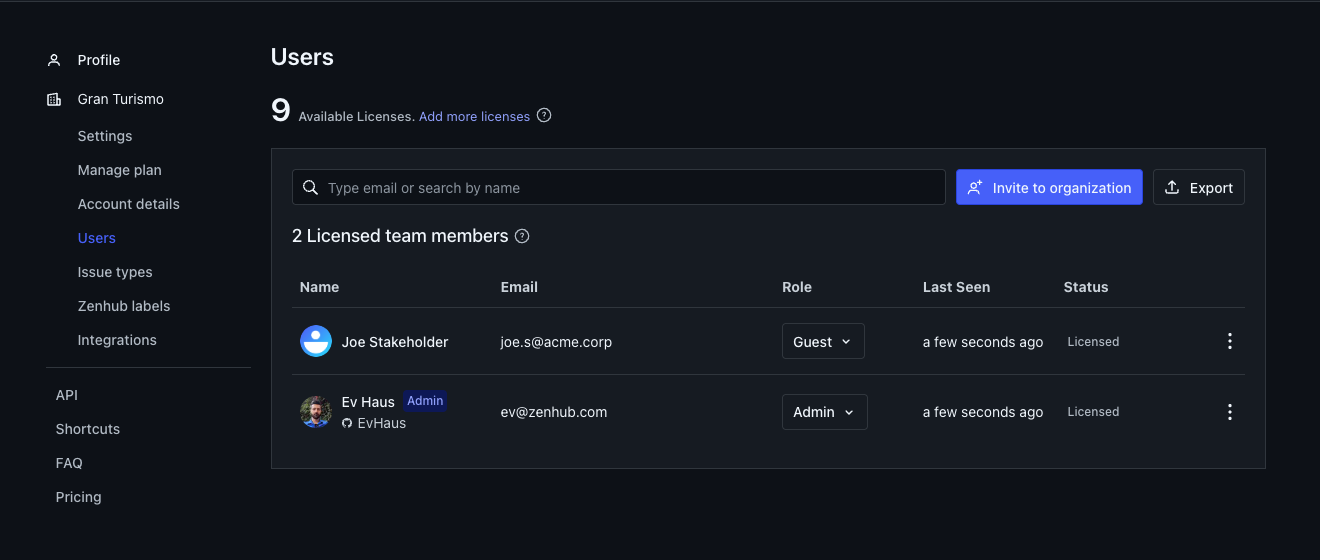
We’re launching a new organization role: Guest. Guests give you a clear way to bring stakeholders, consultants, and partners into Zenhub with limited visibility — without giving them full organization membership.
This builds on the Workspace Roles we shipped earlier (Admin, Editor, and Viewer). Organization roles decide who belongs to your Zenhub account and how broadly they can see it. Workspace roles decide what they can do inside a specific workspace. Guest sits at the organization layer and pairs with Viewer at the workspace layer.
What Guest is for
Use Guest when someone should:
Belong to your Zenhub organization (and use a seat)
Only see the workspace(s) you explicitly add them to
Remain a workspace Viewer — they can follow progress and file lightweight feedback without fully collaborating on the board
That’s the right fit for a client overview, an executive stakeholder board, or a consultant who needs a limited window into selected work.
How Guest works
Seated access — Guests are licensed members of the organization.
Explicit workspace membership — Guests do not auto-join shared/public workspaces. Add them to specific workspaces as a member.
Viewer only — In those workspaces, Guests are limited to the Viewer role. You can’t promote a Guest to Editor or Admin. Changing an existing Member to Guest lowers any Admin/Editor workspace roles they already have to Viewer.
Limited org powers — Guests can’t view billing or organization settings, invite people, or create other workspaces.
Lightweight issue creation — Guests can create Zenhub Issues and edit the title and description of Zenhub Issues they created. They still can’t move issues, change other metadata, or manage the board.
GitHub still applies — For connected repositories, GitHub permissions remain the source of truth for repository data. If a Guest has connected their GitHub account, and that GitHub account has write access to the repositories in the Workspace, they'll have write access in Zenhub too.
An extension of Workspace Roles
Workspace Roles already let you tune collaboration inside a board: Admins configure the workspace, Editors collaborate fully, and Viewers follow along. Guest extends that model up to the organization:
Invite someone as organization Guest
Add them only to the workspaces they need
They stay a workspace Viewer there by design
People who need to move work or manage the board should be organization Members (or Admins) with the matching workspace role.
Learn more
Organization Access — Admin, Member, and Guest; seats; invites; defaults
Workspace Access — shared vs private workspaces; Admin, Editor, and Viewer; why Guests must remain Viewers
Roles & Permissions Overview — how organization, workspace, and GitHub permissions work together