
[Sep 2025] What's new in Zenhub Fall 2025
September 2025 · by Graeme, Support
Zenhub MCP Server & AI Integration
Introducing Zenhub MCP Server: Connect AI clients like Claude Desktop, Claude Code, Gemini CLI, Cursor, and Windsurf directly to Zenhub for a seamless development experience. Ask your AI assistant "what should I work on next?" and watch it intelligently analyze your mentions, priorities, and sprint backlog to make recommendations.
Key capabilities include:
- Create issues and set parent relationships
- Get sprint information and perform bulk updates
- Add project context for smarter AI assistance
- Prioritize work based on custom rules
API Access for All: Token generation and API access now available across all plans. Get started at developers.zenhub.com with your workspace ID and Zenhub token. MCP server setup details available at developers.zenhub.com/mcp.
Enhanced AI Chatbot: Significantly improved with broader question handling and integrated thumbs up/down feedback mechanism for continuous learning.
Goals & Planning Panel Updates
Smart Parent Selector: Automatically shows the next hierarchy level up when setting parents. Click "All Issues" if you need to jump to different levels, but the smart defaults make most workflows faster.
Performance & Shortcuts: Major performance improvements make the panel incredibly snappy, plus new keyboard shortcuts for power users - ZZ to open/close the panel, Z/ to focus the filter field.
Progress Tracking Options: Toggle between story points remaining and issue count remaining to match your team's preferred progress measurement method. Also available for sub-issue progress tracking.
Work Tracker Improvements
New sorting and timing features to help manage pipeline bottlenecks:
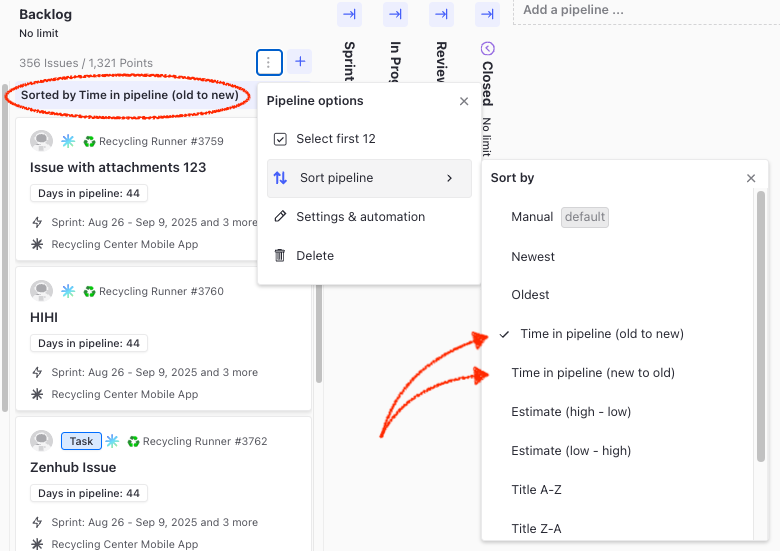
- Pipeline Duration Sorting: Sort by time issues have spent in each pipeline (oldest to newest or newest to oldest)
- Duration Indicators: See exactly how many days issues have been in each pipeline
- Quick Hierarchy Navigation: Jump to any parent issue level directly from within issues
- Enhanced Bulk Updates: Extended to sub-issues and issue types for faster parent assignment
Improved Issue Type Filtering: Filters now work as a group, letting you select multiple types (bug, task, subtask) and combine with other filters exactly as expected. Save any filtered view as a custom view through the Views menu.
Timeline View Updates
Sticky Issue Titles: Long issue titles now stick to screen edges while scrolling for consistent visibility across complex timelines.
Key Dates Feature: Set custom colored markers for critical deadlines. Add global key dates across your entire timeline or individual dates on specific items, giving teams clear visibility into what matters most.
Additional improvements include scroll-to-view options for multi-quarter roadmaps, progress indicators that toggle between story points and issue count, enhanced export options that now include Zenhub issues, and keyboard shortcuts for faster navigation.
Team Collaboration Updates
My Work Mentions: GitHub mentions now appear directly in My Work below your current assignments and recently completed work. Issues with mentions display in red for immediate attention, streamlining team communication.
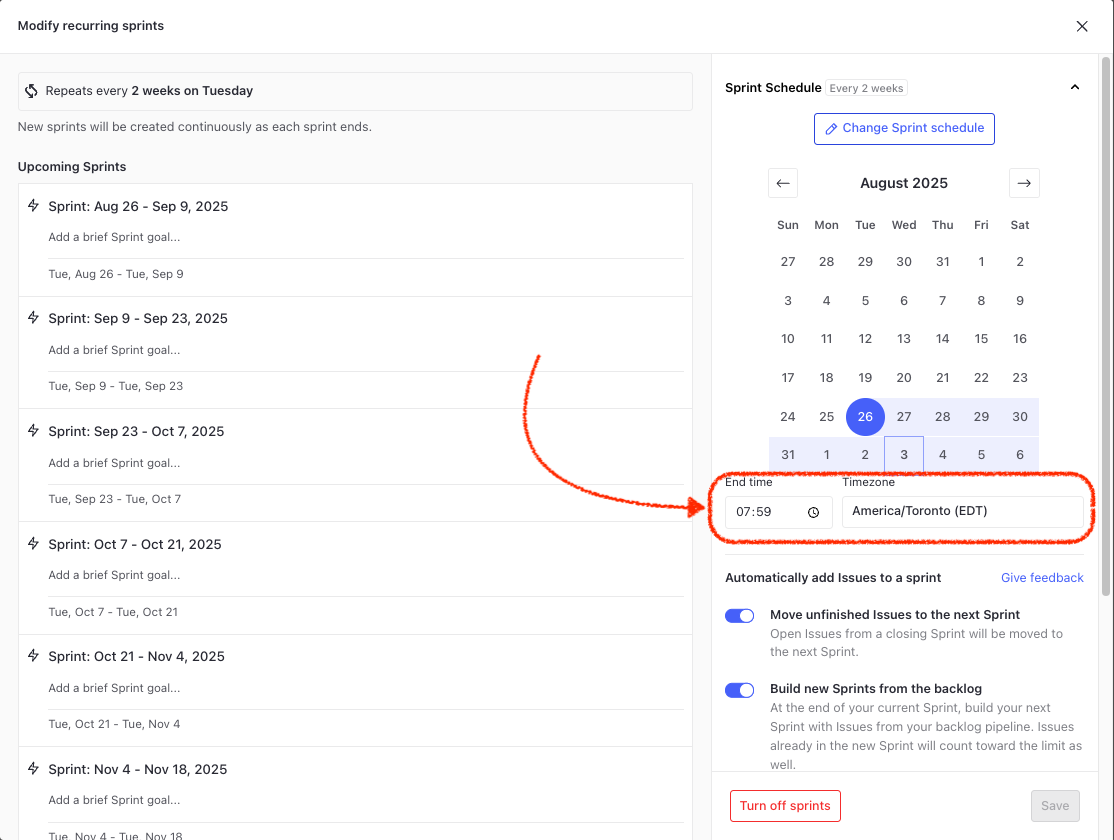
Sprint Timezone Configuration: Long-requested feature for remote teams - set custom sprint end times and timezones for better coordination. Keep distributed teams aligned regardless of location with flexible sprint scheduling.
Daily Standup Improvements: Enhanced UI with better scroll handling, optimized performance for large teams, and Today's Insights feature for daily sprint progress visibility.
Workflow Automation & Reporting
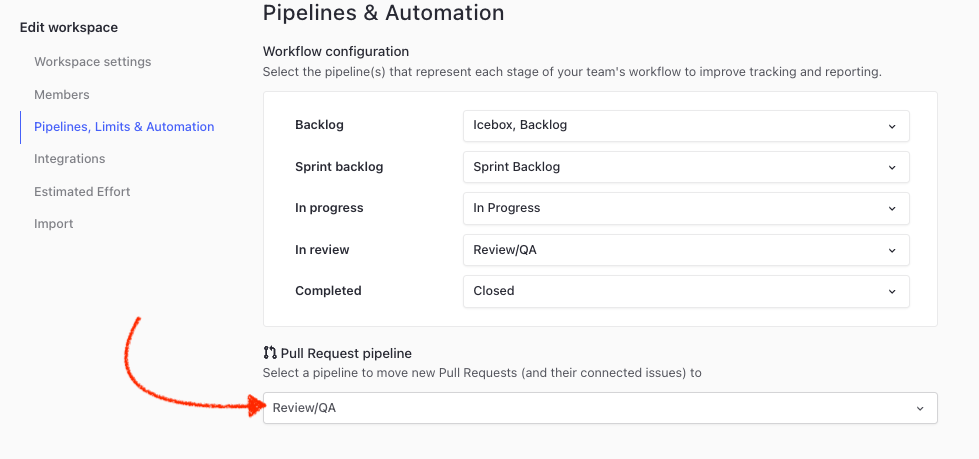
Pull Request Pipeline Automation: Set default pipelines for new pull requests or when connecting issues to PRs. Automatically move work to Review/QA or your preferred pipeline without manual intervention.
GitHub Integration: Issue types now supported in GitHub markdown templates for seamless workflow integration.
Reporting Enhancements: Better label filtering across all reports with improved performance. Enhanced Timeline export options provide stakeholders with comprehensive sharing capabilities. Control charts feature improved table handling with priority information prominently displayed.