
[Jun 2026] What's new in Zenhub in June
Goals & Planning Panel: Track Progress by Story Points
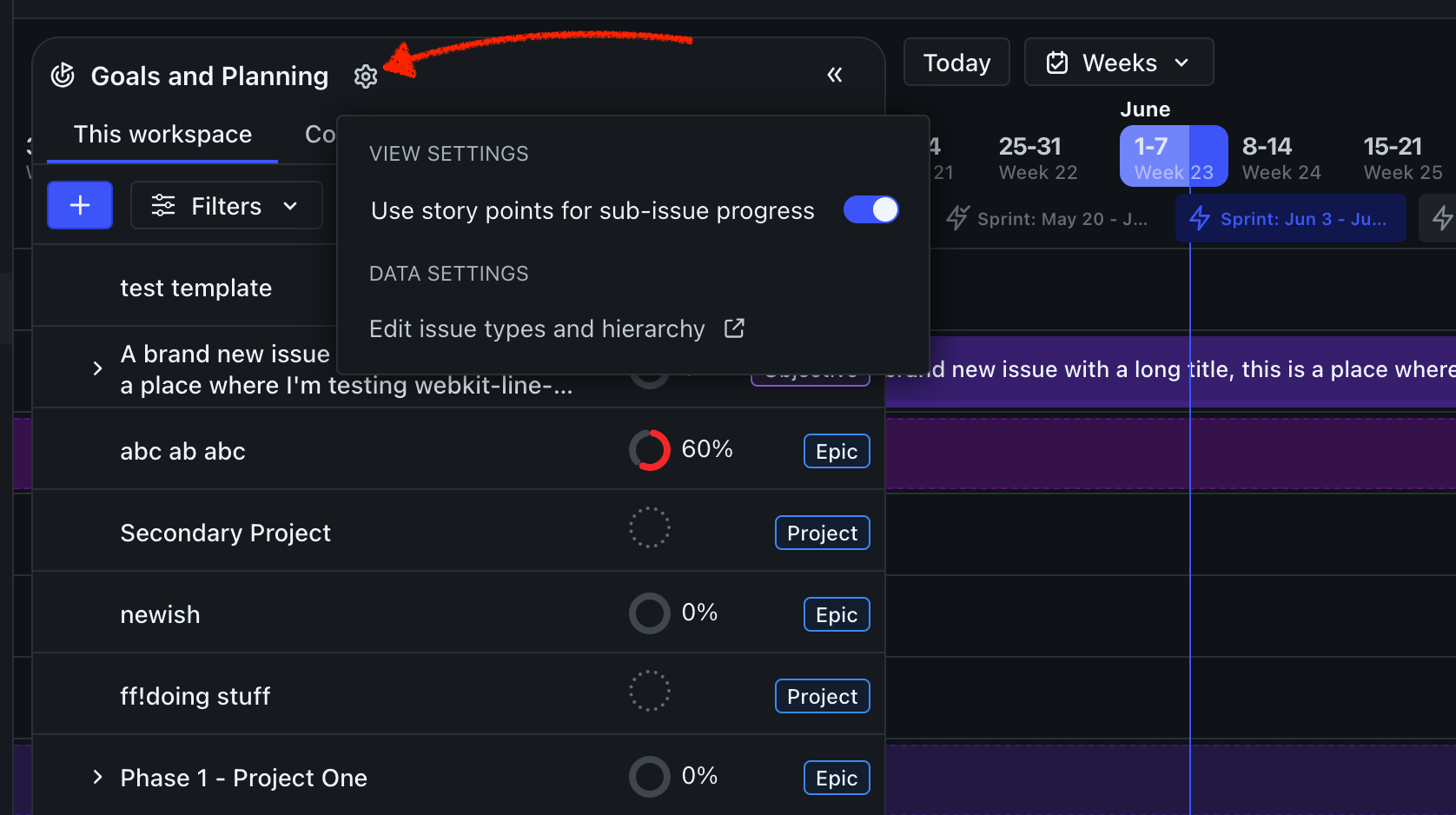
You can now choose how progress is calculated in the Goals & Planning panel. A new toggle in the panel's settings menu (⚙️) lets you switch between tracking completion by issue count or by story points — so your progress percentages reflect the weight of the work, not just the number of issues.
The setting is per-user, so each team member can set their preferred view without affecting others. Once set, the percentage shown in the G&P panel will update dynamically and stay consistent whether you're on the Work Tracker or Timeline.
Browser Extension Updates
Following recent changes to GitHub's interface, we've made the following updates to the Zenhub browser extension:
The repo/workspace switcher previously injected into the GitHub header has been removed. You can still switch workspaces using the selector in the left sidebar, which works the same way as in the Zenhub web app.
The Zenhub tab now appears at the end of GitHub's navigation tabs rather than in the middle. It's also responsive — at narrower page widths, only the multiplier icon will display.
