
Deleting Your Account or Organization
Delete an organization, leave an organization, or delete your own user account — and understand the recovery window and what happens to your data.
Zenhub gives organization admins and individual users direct control over deletion. This article covers three separate actions: deleting an entire organization, leaving an organization you belong to, and deleting your personal user account. It also explains the recovery window and how long data is retained afterward.
NOTE: Deleting an organization, canceling a subscription, and deleting a workspace are different actions. To end billing while keeping your organization, see Billing & Subscriptions. To remove a single workspace rather than the whole organization, see Managing Workspaces.
Deleting an organization
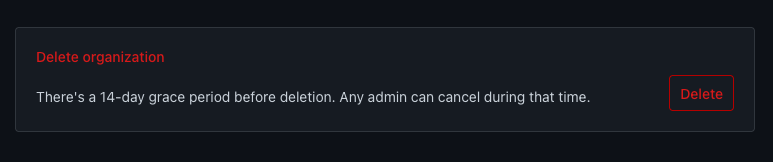
Only an organization admin can delete an organization, and the organization must have no other members before it can be deleted. This ensures deletion is always a deliberate action taken by the last remaining admin.
Remove all other members from the organization. You can manage members from the Users tab in Organization settings — see Organization Access for how roles and membership work.
As the remaining admin, open your Organization settings.
Choose Delete organization and confirm.
Deleting an organization starts a 14-day removal window. If you change your mind within those 14 days, you can cancel the deletion and restore the organization. After 14 days, all organization data is permanently removed and cannot be recovered.
Leaving an organization

If you want to leave an organization rather than delete it, how you do so depends on your role.
If you are an admin: you must assign another admin first, so the organization is never left without one. Promote another member to admin from the Users tab in Organization settings, then choose Leave organization.
If you are a member or guest: you can leave at any time without any extra steps.
TIP: Having at least two organization admins at all times is strongly advised. It prevents you from getting locked out of admin actions if the sole admin leaves or is unavailable.
Deleting your user account
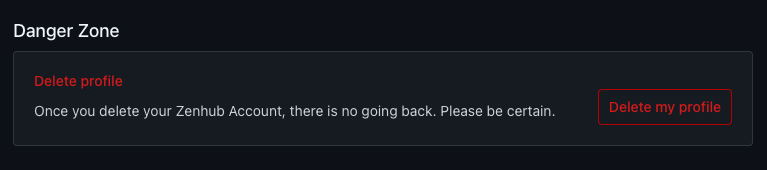
You can delete your own Zenhub user account from your Settings page. (Account management > Settings)
Open your Settings.
Select the option to delete your account and confirm.
If you are the sole admin of any organization, hand that organization off first — either assign another admin or delete the organization — before deleting your account.
What happens to your data
Deleted organizations: all organization data is fully removed 14 days after deletion. You can cancel and restore within that window; after it passes, removal is permanent.
Deleted user accounts: user data is automatically removed 30 days after account deletion, in line with our Privacy Policy.
GitHub data: your GitHub repositories and their issues live in GitHub and are unaffected by deleting a Zenhub organization or account.
FAQ
Q: I deleted my organization by mistake — can I get it back?
A: Yes, as long as it is within 14 days of deletion. Cancel the deletion to restore the organization and its data. After 14 days the data is permanently removed and cannot be recovered.
Q: Why can't I delete my organization?
A: An organization can only be deleted once all other members have been removed, and only by an organization admin. Remove the remaining members from the Users tab first, then try again.
Q: What's the difference between deleting my organization and canceling my subscription?
A: Canceling your subscription ends billing but keeps your organization and data in place — see Billing & Subscriptions. Deleting your organization removes the organization and all of its data after the 14-day window.
Q: I'm the only admin and want to leave the organization. What should I do?
A: Assign another member as an admin first, then leave. If the organization is no longer needed, you can delete it instead once all other members have been removed.
Q: How long is my personal data kept after I delete my account?
A: Your user data is automatically removed 30 days after account deletion, in line with our Privacy Policy.
Q: Does deleting my Zenhub organization affect my GitHub repositories?
A: No. GitHub repository data is stored in GitHub, so it is unaffected. Only your Zenhub-specific data (such as boards, pipelines, and reports) is removed.