
First Day Guide
Essential tasks and navigation tips to get productive quickly in your new Zenhub workspace.
Your first priority is locating the work assigned to you. Click My Work in the left sidebar to see all issues assigned to you across every workspace you have access to. This personal dashboard shows your responsibilities regardless of which team workspace originally created the issue.
If you don't see any assigned work, check with your team lead about getting issues assigned, or look at the main Work Tracker to understand what work is available for the team.
Understand your team's workflow
Navigate to Work Tracker in the left sidebar to see your team's main project board. Issues are organized in pipeline columns that represent workflow stages like Backlog, In Progress, and Done.
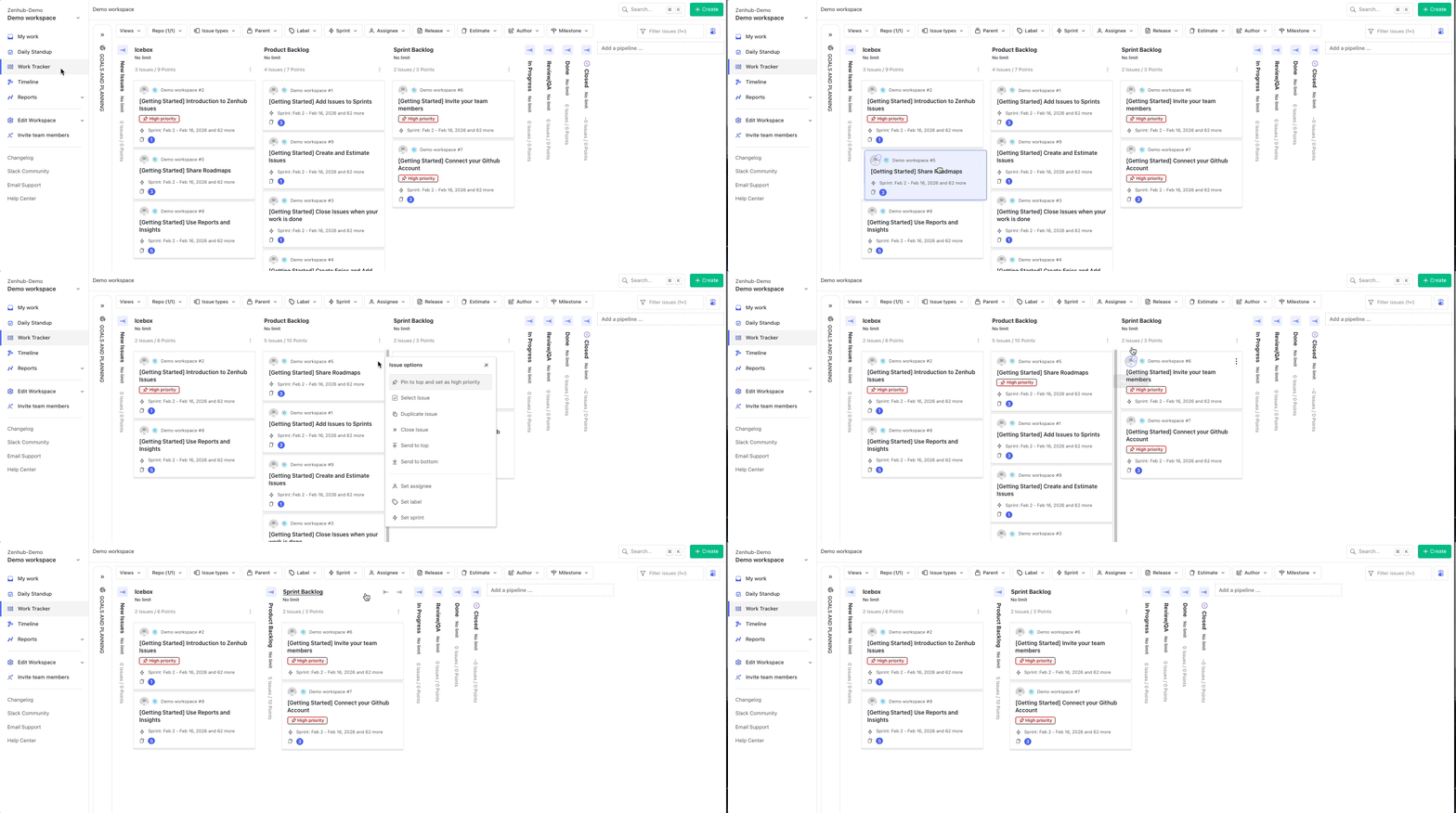
Your team may have customized pipeline names to match their process, so In Progress might be called Development, or Review/QA might be called Testing. Ask a teammate to explain your team's specific workflow stages.
Create your first issue
Click the green Create button in the top-right corner. You'll choose between GitHub issues (if your team uses GitHub repositories) and Zenhub issues (for work that doesn't require GitHub access).
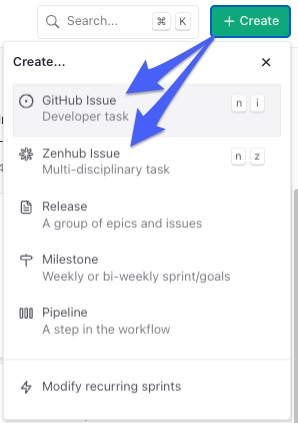
When creating an issue, set the title, assignee, story points, sprint, and labels. Don't worry about getting everything perfect — you can always edit issues later as you learn your team's conventions.
Move your first issue
Find an issue assigned to you and drag it from one pipeline column to another. This shows your team you've begun work and helps everyone track project progress. Some teams have automation that updates issue details when you move them between certain pipelines — if metadata changes automatically after you move an issue, that's expected behavior.
Participate in team communication
Daily Standup
Click Daily Standup in the left sidebar to see what everyone worked on recently and where they might be blocked. This helps you understand team priorities and identify opportunities to help colleagues.
Issue comments
Open any issue and scroll to the comments section. This is where your team discusses work details, asks questions, and coordinates efforts. Adding a comment to ask clarifying questions early is always better than working on the wrong thing.
Goals & Planning Panel
Click the Goals & Planning Panel to see how daily work connects to larger projects and company objectives. This view shows the bigger picture behind individual tasks.
Learn your team's conventions
Every team develops specific ways of working in Zenhub. During your first few days, ask teammates about their story point scale and estimation sessions, which labels they use for categorizing work, how they indicate urgent or high-priority issues, how long their sprints are and when planning happens, and how they handle work that doesn't complete within a sprint.
Explore reporting and progress tracking
If your team uses sprints, check Reports in the left sidebar and explore the Sprint Burndown to see how the current sprint is progressing. Click Timeline in the left sidebar to see longer-term project planning and how current work fits into larger initiatives.
Getting help
For workflow questions, ask teammates directly or check issue comments for context and discussion history. For product questions, contact support@zenhub.com or use the changelog in your left sidebar for recent feature updates.
FAQ
Q: What should I focus on during my first week?
A: Master the basics — finding your assigned work, creating and moving issues, and understanding your team's workflow. Advanced features like reporting and automation can wait until you're comfortable with daily operations.
Q: How do I know if I'm using Zenhub correctly for my team?
A: Ask your teammates for feedback on your issue creation, estimation, and workflow practices. Every team has different conventions, so local guidance is more valuable than general best practices.
Q: What if I make mistakes while learning the system?
A: Most actions in Zenhub are reversible — you can move issues back, edit details, and update assignments. Focus on learning rather than perfection, and ask for help when you're unsure.